
Your documents, together
Scan a document, choose a photo or import a PDF. Keep receipts, invoices and quotes alongside their saved images and PDF files.

 Money & Receipts
Scan receipts, organise income and expenses, and prepare records for your accountant. Built around on-device reading and local-first storage.
Version 1.0 is preparing for release. Public download links will be added once confirmed.
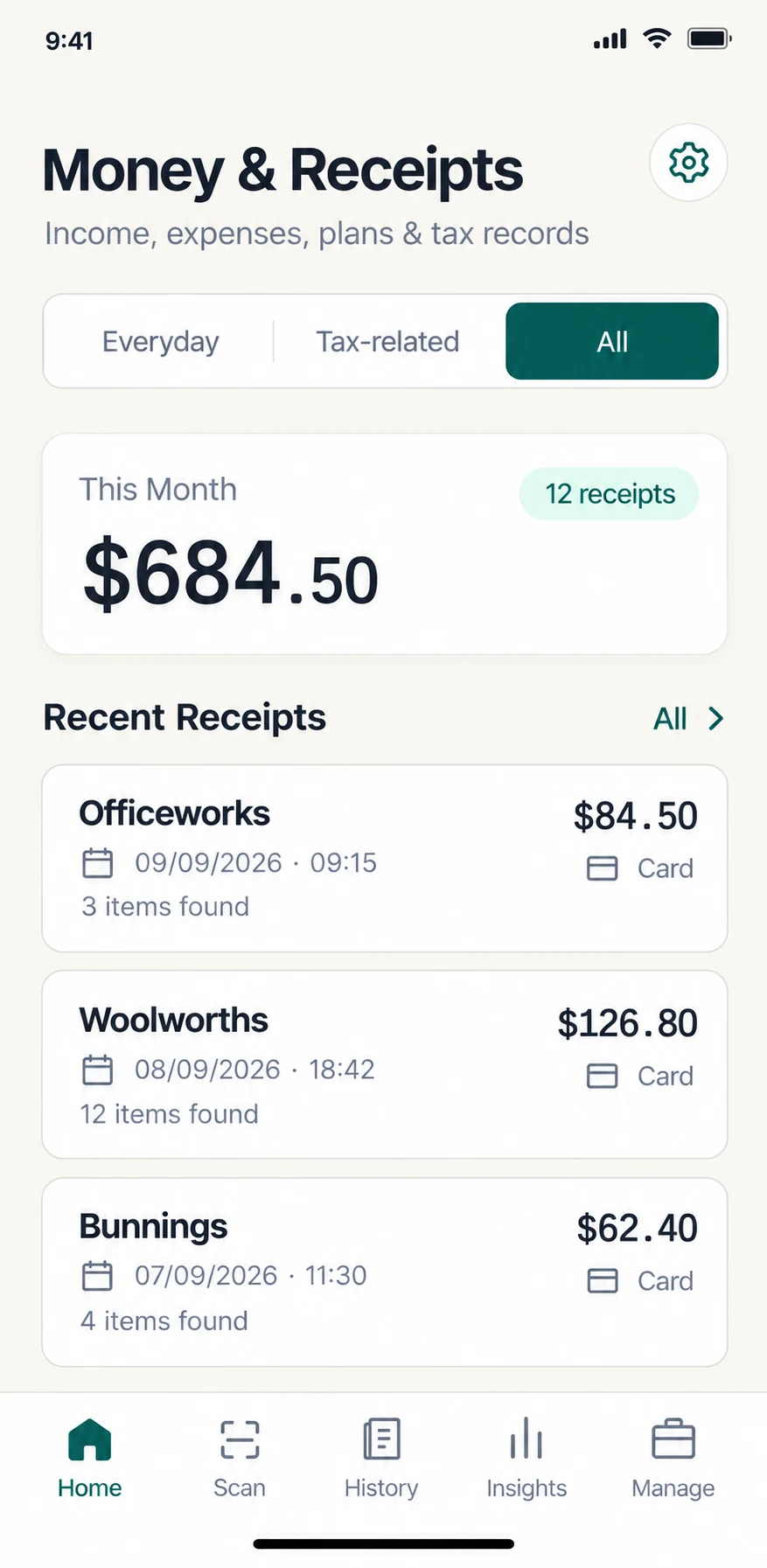
For everyday expenses, work-related records and the paperwork you share with an accountant. Money & Receipts connects your receipts and invoices with income, expenses, recurring entries and tax-review records.
From the first receipt to a clearer overview, with the details ready for your review.
Scan a document, choose a photo or import a PDF. Keep receipts, invoices and quotes alongside their saved images and PDF files.
Extract text from receipt images on your device, then review the merchant, date, totals and line items. Correct anything that needs a second look.
Add entries manually, review document-linked transactions and find records in History. Keep the cash transaction separate from the amount selected for tax review.
Manage recurring income and expenses, review upcoming entries and track their status. No automatic bank connection is required.
Explore income, expenses, trends and category breakdowns in Analytics. Use date ranges and History filters to find the records behind the numbers.
Organise tax profiles, record work-use allocations and export a ZIP with CSV records and available supporting files, grouped by profile. Missing information stays visible for review.
Scan a receipt, import an image or PDF, or add an income or expense entry.
Review extracted text, correct the details and organise the record.
Explore your History and Analytics, or prepare tax records and evidence to share.
Always review OCR results. You can correct the details before saving.
Something else on your mind?
Visit Money & Receipts supportVersion 1.0 is preparing for release. Public download links and release timing will be added once confirmed. The features described here reflect the current app, not an App Store availability announcement.
Yes. Receipt-image text recognition runs on the device rather than sending documents to a cloud OCR service. Recognition can still misread merchants, dates, items or totals, so check and correct the results before relying on them.
Yes. You can import images and PDFs and keep the saved files with their records. Images may be resized and compressed on capture or import; PDFs are retained unchanged. Review extracted details and keep untouched source images separately if you need them.
Yes. The app supports manual income and expense entries, as well as recurring records. A manual entry does not replace supporting evidence you may need to retain.
The tax workspace exports a ZIP containing CSV records and available receipt or invoice evidence, grouped by tax profile. It includes an exceptions report for missing information or files. Images can be compressed for sharing; PDFs are retained. Review the pack before sending it.
Settings includes a user-triggered local ZIP backup and manual restore. ZIPs contain financial records and saved image/PDF files and are not encrypted, so save them securely. Cloud backup is planned and is not available in the current version. Keep a usable local backup of your records.
No. The product is designed to help organise information. It does not replace accounting, tax or financial advice, and you remain responsible for checking your records.
A clearer place for your records. Get updates as we prepare for release.
A tool for organising records. Not a replacement for accounting, tax or financial advice.